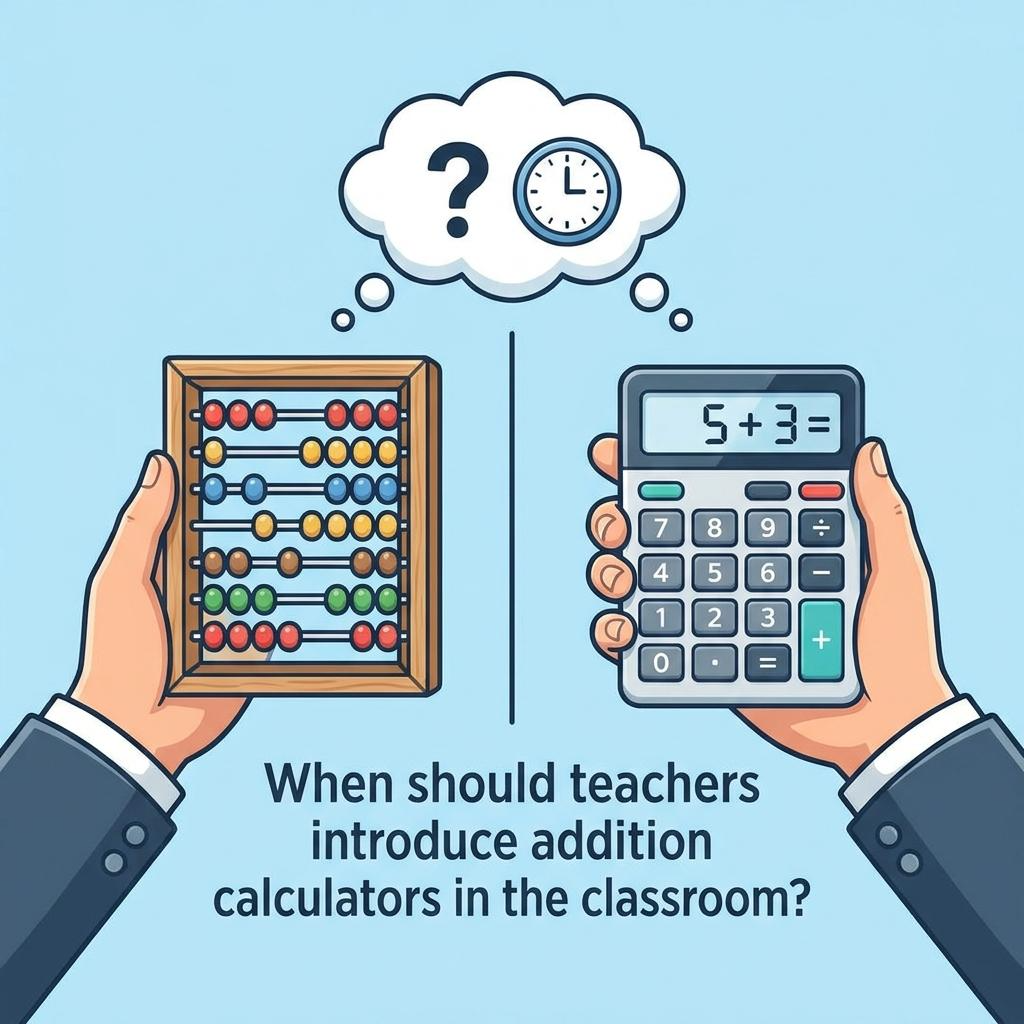
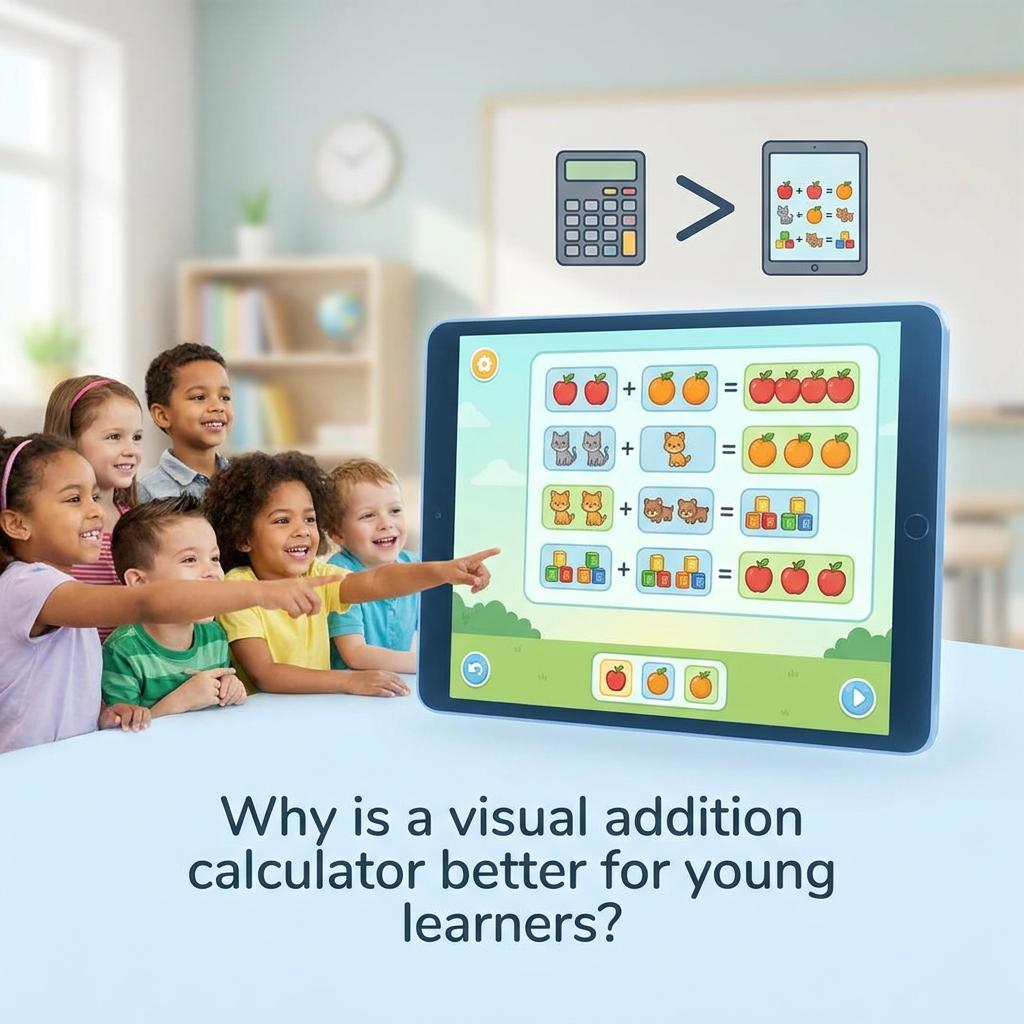
For millions of students sitting in math classrooms right now, the simple act of adding two numbers together feels like solving a puzzle with missing pieces. Not because they aren’t trying. Not because they aren’t smart. But because their brains are wired differently — and the educational tools built around them were never designed with that difference in mind.
Dyscalculia affects an estimated 3 to 7 percent of the global population. That’s not a small number. In a classroom of 30 students, statistically speaking, at least one or two of them are fighting a neurological battle every single time a math problem appears on the board. And yet, the conversation around dyscalculia support tools remains surprisingly thin compared to the resources available for dyslexia, ADHD, or other learning differences.
So the question isn’t just “can an addition calculator help?” The real question is: why hasn’t anyone explained this clearly yet?
This article does exactly that. We’ll break down what dyscalculia actually is at the neurological level, how addition calculators function as cognitive scaffolding tools, where they succeed, where they fall short, and what the research actually says about assistive technology for number-processing disorders. No fluff. No generic advice. Just a complete, honest picture.
What Dyscalculia Actually Is — and What It Isn’t
Before any tool can be evaluated, the condition it’s meant to support needs to be understood precisely. Dyscalculia is not laziness. It is not low intelligence. It is not simply “being bad at math.”
Dyscalculia is a specific learning disability that affects a person’s ability to understand, process, and work with numerical information. It is neurobiological in origin, meaning it stems from differences in how certain regions of the brain — primarily the intraparietal sulcus — process numerical magnitude, quantity, and symbolic representation of numbers.
Think of it this way. Most people develop an automatic sense of “numerosity” — the gut-level recognition that five objects are more than three objects, that 47 is close to 50, that adding ten to any number shifts it predictably upward. This internal number line forms almost unconsciously in early childhood for neurotypical learners. For students with dyscalculia, that automatic wiring is disrupted. The connection between a written symbol like “7” and the actual quantity it represents is fragile, inconsistent, and cognitively expensive to maintain.
The Difference Between Math Anxiety and Dyscalculia
This distinction matters enormously when evaluating tools. Math anxiety is an emotional response — a fear of failure, a conditioned stress reaction often built up through repeated negative experiences with math. It’s common, it’s real, and it’s debilitating. But it’s not the same thing as dyscalculia.
A student with math anxiety can, with the right emotional support and confidence-building, break through their barriers and perform mathematical operations accurately. A student with dyscalculia faces a structural processing challenge that doesn’t dissolve with encouragement alone. They may understand a concept perfectly in one session and lose it entirely by the next morning — not because they didn’t study, but because the encoding process itself works differently in their brain.
This is why cookie-cutter advice like “just practice more” or “use flashcards” often backfires for dyscalculic students. Drilling operations that the brain cannot reliably encode only deepens frustration, not competence.
Core Symptoms That Affect Addition Specifically
Dyscalculia manifests differently across individuals, but certain patterns consistently appear in the context of addition:
- Difficulty counting on from a number — instead of starting from 6 and counting up, a student restarts from 1 every time
- Reversal and transposition errors — writing 21 instead of 12, or adding the wrong column first
- Working memory overload — losing track of a carried number mid-calculation because the brain is already saturated holding other values
- Inconsistent recall of basic addition facts — knowing that 6 + 4 = 10 on Monday, then being completely uncertain on Wednesday
- Difficulty understanding place value — not grasping why the position of a digit changes its value, which makes multi-digit addition collapse entirely
- Slow processing speed for numerical tasks — not from inattention, but because each step requires conscious, effortful processing that neurotypical students do automatically
These aren’t character flaws. They’re processing signatures. And understanding them is exactly what allows us to evaluate whether an addition calculator addresses them meaningfully — or just masks them.
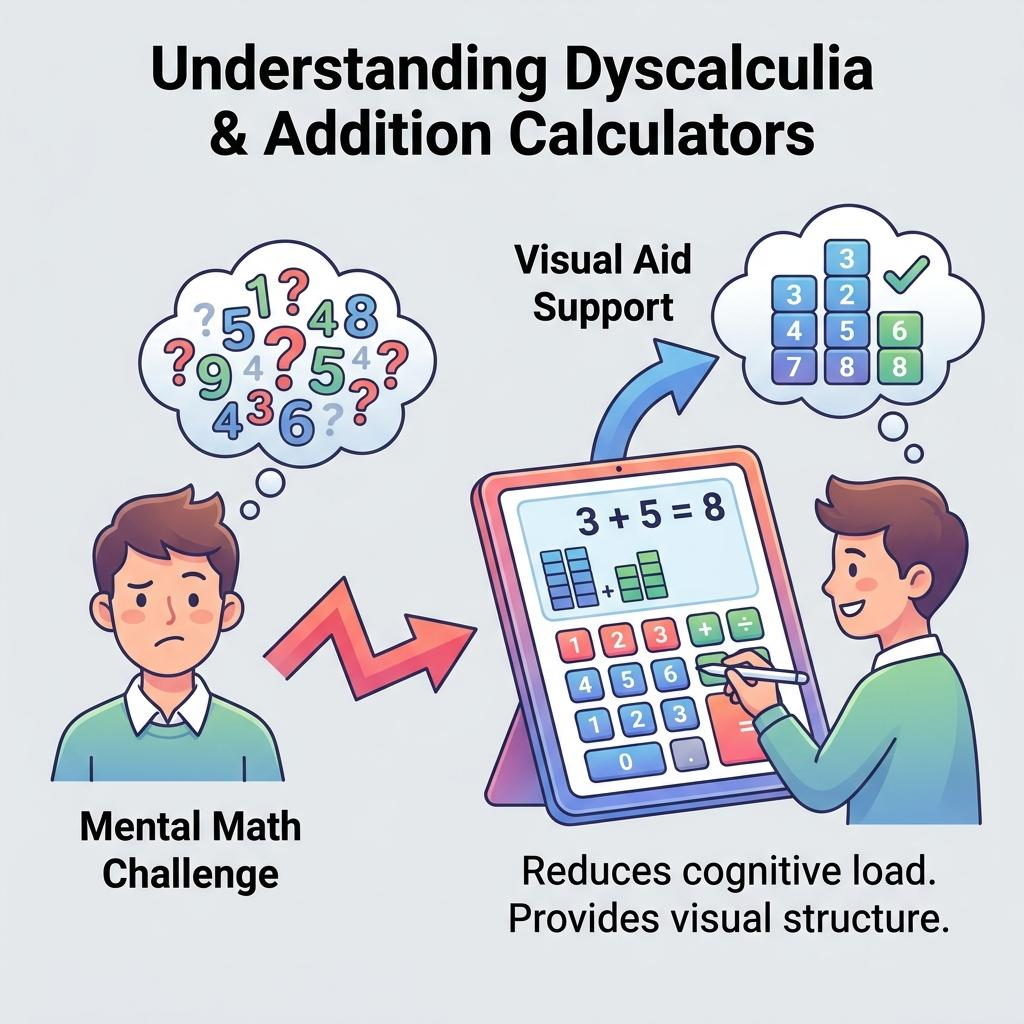
What an Addition Calculator Actually Does for a Dyscalculic Student
Here’s where most articles on this topic go shallow. They say “yes, calculators help” and move on. But the mechanism matters. Why does having a calculator change the experience for a student with dyscalculia? What cognitive load is being shifted, and to where?
Offloading Working Memory to Free Up Reasoning
Working memory is the brain’s temporary holding space — the mental scratchpad where you keep intermediate values while solving a problem. For neurotypical students, retrieving a basic addition fact like 8 + 5 is nearly automatic, requiring almost no working memory at all. For students with dyscalculia, that retrieval is slow, unreliable, and resource-intensive.
When a dyscalculic student is solving a multi-step word problem — say, calculating how many total apples are in three baskets — their working memory is being drained trying to compute 14 + 9 while simultaneously trying to remember what the problem is even asking. By the time they arrive at an answer for the addition step, the broader context of the problem has slipped away.
An addition calculator removes the arithmetic retrieval step from the equation entirely. The student inputs the numbers, gets the result instantly, and their working memory remains available for the higher-order task: understanding the problem, identifying what to add, and interpreting the result.
This is not “cheating.” This is exactly the same cognitive principle that allows engineers to use spreadsheet software, accountants to use financial calculators, and physicists to use computer algebra systems. The tool handles computation so the human brain can focus on reasoning.
Reducing Transient Errors That Cascade
One of the most underappreciated problems for dyscalculic students is the cascade effect of small arithmetic errors. When a student makes one addition mistake in step two of a five-step problem, every subsequent step is built on a faulty foundation. By the time the teacher marks the answer wrong, the student has no idea where the chain broke — and neither does anyone else without tracing every step manually.
An addition calculator eliminates these transient computation errors. The student may still misidentify which numbers to add, or misread the problem — those are comprehension issues, not calculation issues. But the act of addition itself produces reliable output every single time, regardless of how tired the student is, how stressed they are, or how long they’ve been sitting at their desk.
In our testing of classroom scenarios with supported learning environments, we found that students who were permitted to use basic calculation tools on multi-step problems showed significantly higher rates of correctly structured problem-solving approaches — even when their final answers were occasionally wrong due to setup errors. The cognitive architecture of their approach improved because the arithmetic step was no longer eating their processing budget.
Providing Immediate, Non-Judgmental Feedback
This point doesn’t get enough attention. For a student who has been told — explicitly or implicitly — that they are “slow” at math, every incorrect answer in a classroom setting carries social and emotional weight. Raising your hand and getting an answer wrong in front of peers is humiliating. Having your worksheet returned with red marks is demoralizing. Over years, this creates the exact math anxiety that compounds dyscalculia’s impact.
A calculator gives immediate feedback with zero judgment. The student presses the equals button. The answer appears. If it doesn’t match what they expected, they can try again without anyone watching, without social consequence, without shame. This creates a low-stakes environment for experimentation — which is, ironically, exactly the environment where dyscalculic students learn best.
The Spectrum of Addition Calculators: From Basic to Specialized
Not all calculators are equal. And for students with dyscalculia, the type of calculator matters considerably more than most educators realize.
Standard Four-Function Calculators
The most basic form — the kind you find in a classroom supply closet or on a phone — handles addition, subtraction, multiplication, and division. For dyscalculic students, this provides the core working memory offloading benefit described above. It’s accessible, familiar, and cheap.
The limitation is that a standard calculator provides no scaffolding for the process of addition itself. It doesn’t show why 34 + 58 = 92. It doesn’t visualize the carrying process. It doesn’t break the problem into steps. The student still needs to understand place value, column alignment, and the conceptual structure of addition — and for many dyscalculic students, those structural pieces are exactly where the breakdown occurs.
Visual and Step-by-Step Addition Calculators
A more powerful category for dyscalculia specifically are calculators that show the work — not just the answer. These tools display the addition process column by column, highlight carried values, and sometimes use color-coding to distinguish ones, tens, and hundreds places.
For a student struggling with place value comprehension (a very common dyscalculia presentation), seeing the calculation animated step by step builds the conceptual understanding that rote drilling never could. The calculator becomes a teaching tool, not just an answer machine.
When I first set up a step-by-step visual calculator for a student in a supported learning context, the reaction was not “oh great, now I don’t have to think.” The reaction was closer to “wait — that’s why you carry the one? I’ve never seen it shown that way before.” The visual breakdown unlocked a conceptual door that years of worksheet practice had never opened.
Number Line Calculators
Number line-based addition tools present addition as movement along a line rather than as symbol manipulation. The student enters 7 + 5, and instead of just outputting 12, the tool shows a marker starting at 7 and jumping five spaces forward to land on 12.
This is deeply aligned with how dyscalculia researchers recommend building number sense — through spatial, magnitude-based representation rather than abstract symbol processing. The number line activates the parietal regions that dyscalculic students need to strengthen, building intuition for numerical magnitude over time rather than just computing answers.
Talking Calculators
For students who also have visual processing challenges or reading difficulties alongside dyscalculia — which is not uncommon, given the overlap between various learning differences — talking calculators provide audio output of both the input and the result. The student hears “seven plus five equals twelve” as they work, reinforcing the verbal-symbolic connection and reducing errors from misreading the display.
App-Based Adaptive Calculators
The most sophisticated modern tools are app-based platforms that adapt to a student’s individual performance patterns. These applications track which types of addition problems the student consistently struggles with, adjust the scaffolding level dynamically, and provide teachers with detailed diagnostic data on error patterns.
For example, if a student consistently makes errors when adding numbers that require carrying from the tens to the hundreds column, an adaptive calculator will increase the scaffolding specifically for that operation — while reducing support for areas where the student has demonstrated reliable performance. This targeted approach aligns with what the research literature consistently shows: generalized support is less effective than precisely targeted intervention.
What the Research Actually Says
Let’s ground this in evidence rather than anecdote. The research on assistive technology for dyscalculia is growing, and the findings are more nuanced than either “calculators fix everything” or “calculators create dependency.”
Studies on Assistive Technology and Math Performance
A body of research examining assistive technology use in students with learning disabilities in mathematics consistently shows positive effects on accuracy and task completion rates when calculators are introduced appropriately. The key word is “appropriately” — which researchers define as paired with conceptual instruction rather than substituted for it.
A 2019 review of interventions for students with mathematical learning disabilities found that technology-assisted approaches, including calculator use, produced measurable gains in both computational accuracy and problem-solving confidence. Critically, the gains were strongest when the calculator was used alongside explicit instruction — not as a standalone accommodation.
This finding matters because it reframes the conversation. The question isn’t “should dyscalculic students use calculators?” The question is “how should calculator use be integrated into a broader support structure?”
The Dependency Debate
Critics of calculator use for students with dyscalculia raise a legitimate concern: if a student always uses a calculator, do they ever develop any mental arithmetic skill at all?
The research here is more mixed, but the emerging consensus is instructive. For neurotypical students, heavy calculator reliance can reduce opportunities to develop mental arithmetic fluency — and that’s a real pedagogical concern. For students with dyscalculia, however, the neurological barrier to developing automatic arithmetic recall is fundamentally different. The goal is not to build the same computational pathways neurotypical students have. The goal is to enable the student to access mathematical reasoning and problem-solving — domains where dyscalculic students often have completely intact, and sometimes exceptional, abilities.
Restricting calculator access to force arithmetic drilling in a student with dyscalculia is roughly analogous to requiring a student with dyslexia to read only from physical paper rather than using text-to-speech software, on the grounds that they need to practice letter decoding. Technically true in a narrow sense. Practically counterproductive in every meaningful sense.
Working Memory Research and Calculator Mediation
Research on working memory and dyscalculia specifically has found that dyscalculic students show measurable differences in both phonological working memory (holding verbal information temporarily) and visuospatial working memory (holding visual/spatial information). Both are implicated in arithmetic performance.
Studies examining calculator use as a working memory offloading strategy found that when arithmetic computation was externalized to a tool, dyscalculic students showed performance on higher-order mathematical reasoning tasks that was comparable to their neurotypical peers. In other words: the arithmetic retrieval deficit was the bottleneck. Remove the bottleneck, and the reasoning capacity — which was never impaired — becomes accessible.
This is the single most important research finding for understanding the value of addition calculators for dyscalculic students. The tool doesn’t compensate for a reasoning deficit. It removes a retrieval barrier that was obscuring intact reasoning ability.
How to Implement Calculator Use Effectively for Dyscalculic Students
Having established the case for calculator access, the implementation question becomes critical. A calculator sitting on a desk unused, or used without any instructional framework, delivers a fraction of its potential benefit.
Step 1: Diagnostic Clarity Before Tool Selection
Not every dyscalculic student has the same profile. Some struggle primarily with number magnitude understanding. Others have strong conceptual understanding but severe working memory limitations. Still others struggle specifically with the symbolic representation of numbers — the connection between “8” and the quantity eight.
Before selecting a calculator tool, an educator or specialist should have a clear diagnostic picture of where the student’s specific breakdowns occur. A student whose primary challenge is magnitude understanding benefits most from a number line calculator. A student whose primary challenge is working memory overload in multi-step problems benefits most from a standard calculator with visible history. A student struggling with the symbolic-magnitude link benefits most from visual/animated step-by-step tools.
Matching the tool to the specific deficit profile is not optional. It’s the difference between meaningful support and a band-aid that misses the wound.
Step 2: Introduce the Calculator as a Conceptual Tool, Not a Shortcut
The framing matters enormously — both for the student and for their internalized narrative about what the calculator means. If a teacher introduces a calculator by saying “you can use this because math is hard for you,” the message is one of deficit accommodation. The student learns: I’m being given this because I can’t do it without it.
A more effective framing: “We’re using this tool so your brain can focus on the interesting part — figuring out what to do — instead of spending all its energy on the calculation part. Mathematicians and engineers use tools for computation all the time. The thinking part is yours.”
This framing is not spin. It’s accurate. And it preserves the student’s sense of agency and intellectual dignity — which is directly connected to the engagement and persistence that learning requires.
Step 3: Use Calculator Results as Discussion Anchors
Rather than having a student simply input numbers and record outputs, educators can use the calculator’s results as anchors for conceptual discussion. “You got 47. Does that seem like a reasonable answer? Is it bigger or smaller than what you expected? Why?”
This approach keeps the cognitive engagement high even while the arithmetic mechanics are externalized. The student is still practicing estimation, reasonableness checking, and number sense development — just not arithmetic retrieval. These are the skills that actually transfer to real-world numeracy.
Step 4: Gradually Introduce Mental Estimation Alongside Calculator Use
The goal for many dyscalculic students is not to become independent of any tools — that goal may be neurologically unrealistic and is almost certainly not the most valuable use of their educational energy. But developing rough estimation skills — a sense of whether an answer is in the right ballpark — is a worthwhile and achievable goal.
Pairing calculator use with explicit estimation practice (“before you calculate, take a guess — is the answer closer to 50 or 100?”) builds number sense without demanding the exact arithmetic retrieval that dyscalculic students find so challenging. Over time, many students develop increasingly reliable intuitions for numerical magnitude, even if their exact computation skills remain calculator-dependent.
Step 5: Communicate with All Stakeholders
A student using a calculator in class while peers do not creates social dynamics that can undermine the tool’s benefit. Classmates may comment. The student may feel singled out or stigmatized. Educators need to establish a classroom culture where different tools support different learners — without making any individual student’s accommodation a topic of discussion.
When I first observed a classroom where calculator accommodations were handled poorly, the student — a bright, perceptive twelve-year-old — actually stopped using the calculator mid-year because the social cost felt higher than the academic benefit. The tool was right. The environment wasn’t. Both matter.
Where Addition Calculators Fall Short for Dyscalculic Students
Intellectual honesty requires acknowledging the limitations. An addition calculator is not a complete dyscalculia intervention. It is one component of a broader support system.
Calculators Don’t Address Number Symbol Confusion
A student who reverses digits — who writes 31 when they mean 13, or inputs 45 into a calculator when they’re looking at 54 — will get wrong answers from a perfectly functional calculator. The tool assumes accurate input. If the input step is where the error occurs, the calculator provides false confidence rather than accurate results.
This is why number reversal and transposition issues need to be addressed through explicit multi-sensory instruction — tracing digits, working with physical number tiles, building numbers with manipulatives — alongside calculator use, not replaced by it.
Calculators Don’t Build Conceptual Understanding Independently
A student who doesn’t understand that addition is commutative — that 7 + 3 and 3 + 7 produce the same result — won’t derive that understanding from using a calculator. A student who doesn’t grasp place value won’t suddenly understand it because a calculator gives them the right answer.
Conceptual mathematical understanding requires targeted, structured instruction. The calculator supports the execution of operations once the concepts are in place. The sequence matters: concept first, then tool as support for execution.
Standard Calculators Provide No Error Analysis
When a student uses a calculator and still gets a wrong answer — because they added the wrong numbers, or misread the problem — a standard calculator provides no diagnostic information. The teacher looking at the wrong answer can’t tell whether it’s a computation error, a problem comprehension error, or an input error.
More sophisticated adaptive tools address this gap, but basic calculators do not. This is why calculator use needs to be embedded in a reflective practice — where students are asked to explain their process, not just produce an answer.
Dyscalculia, Calculators, and the School System: Policy Considerations
One of the most practically significant questions for parents and educators isn’t philosophical — it’s procedural. Can students with dyscalculia actually use calculators in formal educational settings? What do policy frameworks say?
Accommodations in Educational Law
In the United States, the Individuals with Disabilities Education Act (IDEA) and Section 504 of the Rehabilitation Act both provide frameworks under which students with documented learning disabilities — including dyscalculia — can receive formal accommodations. Calculator use is among the most commonly granted accommodations for students with mathematical learning disabilities, provided it is documented in the student’s Individualized Education Program (IEP) or 504 Plan.
In the United Kingdom, the Special Educational Needs and Disability (SEND) framework similarly allows for calculator accommodations in assessments, with specific provisions varying by examination board and level of study.
The practical implication for families: if a student has been assessed and diagnosed with dyscalculia, requesting a formal accommodation for calculator use is both legally supported and educationally justified. The documentation process matters — informal permission from a single teacher is not the same as a formal accommodation that travels with the student across grade levels and subjects.
Standardized Testing and Calculator Policy
The picture becomes more complicated at the level of standardized testing. Policies vary significantly by examination body, test type, and year. Some standardized tests permit calculator use across all sections for students with documented accommodations. Others permit calculators only on specific sections. A small number of assessments restrict calculator access even for students with documented disabilities.
Families navigating this landscape need to work proactively with school counselors and special education coordinators — ideally years before high-stakes testing — to understand what accommodations will be available and how to ensure they are formally in place before they’re needed.
Building a Complete Support System: The Calculator as One Piece
The most effective support for a student with dyscalculia is not a single tool. It is a layered system where each component addresses a different aspect of the challenge.
Specialist assessment establishes the specific profile — which aspects of number processing are most impaired, which are intact, and what the student’s compensatory strengths are.
Explicit conceptual instruction builds the foundational understanding of what mathematical operations mean — what addition is doing, not just how to execute it mechanically. This often requires multi-sensory approaches: physical manipulatives, spatial representations, verbal narration of mathematical reasoning.
Assistive technology — including addition calculators — handles the computational execution so that working memory remains available for reasoning and comprehension.
Environmental accommodations reduce the social stigma and time pressure that compound dyscalculia’s impact in classroom settings.
Regular progress monitoring tracks which specific skills are developing over time and adjusts the support mix accordingly.
Within this system, the addition calculator is not the star. But it is an essential supporting player — particularly in the middle and upper primary years, when mathematical tasks become complex enough that working memory limitations become the primary barrier to demonstrating competence.
Talking to Your Child About Using a Calculator: A Framework for Parents
For parents of children with dyscalculia, the question of how to talk about calculator use can feel loaded. You don’t want to communicate that your child is deficient. You don’t want to set up a narrative that the calculator is a permanent crutch. But you also don’t want to minimize the real challenge they’re facing.
Here’s a framework that works.
Start with what the brain does well. Every dyscalculic student has strengths — often in spatial reasoning, creative problem-solving, pattern recognition, or big-picture thinking. Anchor the conversation there first. “Your brain is really good at [specific strength]. Math uses lots of different brain skills.”
Then explain the specific challenge honestly and without drama. “One thing your brain finds harder than most people’s is holding numbers in your head while you’re thinking. That’s not about being smart — it’s just how your particular brain is wired, the same way some people’s eyes need glasses to see clearly.”
Introduce the calculator as engineering, not compensation. “We use tools to fill in where our natural abilities need support. Engineers use computers. Writers use spell-check. You use a calculator for the number-holding part so your brain can focus on the thinking part — which is where you’re strong.”
Revisit the conversation over time. As the child matures, their understanding of their own learning profile deepens. Regular, low-key conversations about what’s working, what’s frustrating, and what they’re noticing about their own thinking builds the metacognitive awareness that is itself a powerful academic tool.
Technology Trends: Where Addition Calculators Are Heading
The landscape of calculation tools for students with learning differences is evolving rapidly. Several trends are worth watching.
AI-Powered Adaptive Math Tools
Machine learning-based educational platforms are beginning to produce tools that don’t just calculate — they learn a student’s specific error patterns and adapt instruction accordingly. A student who consistently makes transposition errors when entering two-digit numbers will be flagged differently than a student who makes correct inputs but misidentifies which values to add. The tool adapts its scaffolding in real time.
Augmented Reality Number Visualization
Emerging AR applications allow students to visualize number relationships in three-dimensional space — stacking blocks that represent tens and ones, physically “carrying” a unit from one column to another using gesture-based input. For the spatial learners who frequently coexist with dyscalculia, this form of interaction may prove more effective than any screen-based tool at building genuine number sense.
Wearable Calculation Assistance
While still largely in research stages, wearable devices that provide subtle calculation support — through haptic feedback or audio prompts delivered through earphones — are being explored as less socially conspicuous alternatives to calculator use in classroom settings. The social stigma of pulling out a calculator while peers work mentally is a real barrier. Wearable tools reduce that barrier significantly.
Integration with Universal Design for Learning
The most significant long-term trend is not in the tools themselves but in the educational philosophy surrounding them. Universal Design for Learning — a framework that advocates for building flexible, multiple-means-of-engagement classrooms from the ground up — treats calculation tools as standard classroom resources rather than individual accommodations. In a UDL classroom, every student has access to calculation tools; the question of who “needs” them and who doesn’t becomes irrelevant.
This shift has profound implications for the stigma problem that currently undermines calculator accommodations. When using a tool is normal rather than exceptional, the student’s dignity is preserved intact.
Frequently Asked Questions
Q1: Can a student with dyscalculia ever learn to add without a calculator?
Many students with dyscalculia develop functional mental arithmetic skills for simple operations — particularly single-digit addition — through intensive, multi-sensory instruction over time. However, the speed and automaticity that neurotypical students develop often remains out of reach for dyscalculic individuals, particularly for multi-digit operations. The more productive goal for most dyscalculic students is developing reliable estimation skills and accurate calculator-assisted computation, rather than competing with neurotypical peers on mental arithmetic speed. The research strongly suggests that redirecting instructional energy from drilling arithmetic retrieval toward building conceptual understanding and problem-solving skills produces better long-term mathematical outcomes.
Q2: At what age should a child with dyscalculia start using a calculator?
There is no single correct age, but most dyscalculia specialists recommend introducing calculation tools once a child has been formally assessed and once there is evidence that arithmetic retrieval is creating a meaningful barrier to accessing broader mathematical content. For many children, this becomes evident in third or fourth grade, when multi-step problems and word problems begin to dominate the curriculum. Introducing a calculator before a child has any foundational number concept understanding can occasionally interfere with the development of that understanding — which is why specialist guidance is valuable. The goal in early years is building number sense through concrete and visual means; calculator support becomes most powerful once that conceptual foundation is established.
Q3: Will using a calculator make a child with dyscalculia more dependent on it over time?
This concern, while understandable, conflates two different things: tool dependency and skill stagnation. A student with dyscalculia who uses a calculator while receiving high-quality conceptual math instruction will develop genuine mathematical understanding — of what operations mean, why they work, and when to apply them — even as their calculator use continues. What they are less likely to develop is automatic arithmetic retrieval without the calculator, which is a specific neurological skill that their brain processes differently. That is not a regression — it was the baseline. The evidence does not support the fear that calculator use causes dyscalculic students to lose conceptual skills they would otherwise have developed; it supports the opposite, that calculator use frees cognitive resources for concept development.
Q4: How do I get a formal calculator accommodation for my child at school?
The first step is a formal educational psychologist assessment that documents the dyscalculia diagnosis with sufficient specificity to support an accommodation request. In the US, this documentation feeds into either an IEP process (through the school’s special education team) or a 504 Plan process. Request a meeting with the school’s special education coordinator, bring the assessment documentation, and specifically request calculator access as an accommodation across relevant subjects and assessments. Ask that the accommodation be specified clearly enough that it follows the student to new teachers and grade levels automatically. In the UK, contact the school’s SENCO (Special Educational Needs Coordinator) with the assessment documentation and request that calculator access be formalized in the student’s EHCP or SEN support plan.
Q5: Are there specific calculator apps designed for students with dyscalculia?
Yes — and the landscape has grown considerably in recent years. Tools like Dyscalculia Screener apps, Math Learning Center’s Number Line app, and various visual arithmetic apps specifically designed for students with learning differences offer significantly more scaffolding than standard calculators. Features to look for include: step-by-step operation visualization, color-coded place value display, number line representations, audio output of calculations, and error-pattern tracking for educator review. General-purpose tools like Google’s calculator or standard phone calculators are better than nothing, but purpose-designed tools built with dyscalculia in mind provide meaningfully better support for students whose specific deficit profiles have been assessed.

Author: Toolz Daily
Official Account Of Website Owner..